Turing
Internal Enterprise Tool
End-to-End Design of a Streamlined Internal Tool from a Designer-Stakeholder Perspective
Role
Timeline
Tools
Team
AT A GLANCE
From AI Quality Analyst Intern to Product Designer..?
01 Dual Role Context
Started as an AI Quality Analyst Intern, conducting AI evaluation and rating work. This perspective directly informed later UI/UX contributions when I was brought on to design improvements for the same system.
02 Internal Tool Design
Contributed to the design of an internal product for hour tracking and work logging, consolidating previously fragmented workflows into a single, clear interface optimized for daily internal use.
03 Informed by Real Use
Balanced ongoing AI rating responsibilities with UI/UX work, allowing design decisions to be grounded in real operational needs, accuracy requirements, and team workflows.
Company & Earlier Role Context
01 Problem
When One Workflow Lives in Four Systems
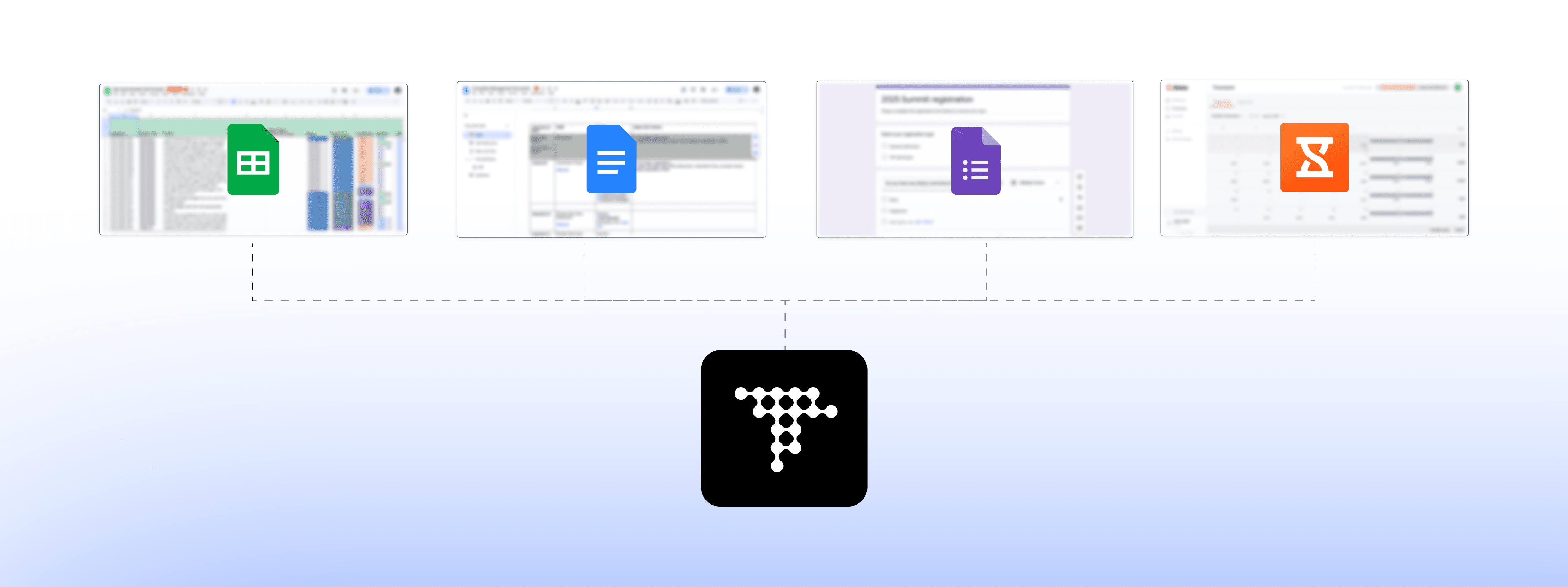
Turing’s AI evaluation workflows relied on a fragmented set of tools that were not designed to work together. AI raters tracked hours in Google Sheets or Jibble, annotated and submitted evaluations through Google Docs and Forms, and manually cross-referenced information across systems to complete a single task.
This fragmentation introduced significant operational friction. Routine work required constant context switching between tools, increasing cognitive load and slowing execution. Because data lived in multiple places, entries were frequently duplicated or missed, and there was no reliable source of truth.From an organizational perspective, this made oversight difficult. Managers and HR lacked real-time visibility into hours, workload distribution, and evaluation progress. Spreadsheet-based tracking further constrained data structure, searchability, and long-term reliability.
The core issue was the absence of a cohesive system.
Problem Statement
How might we design a unified internal tool that simplifies AI rating and hour tracking while improving visibility for managers?
02 Solution
Replacing Fragmented Tools with a Single Internal System
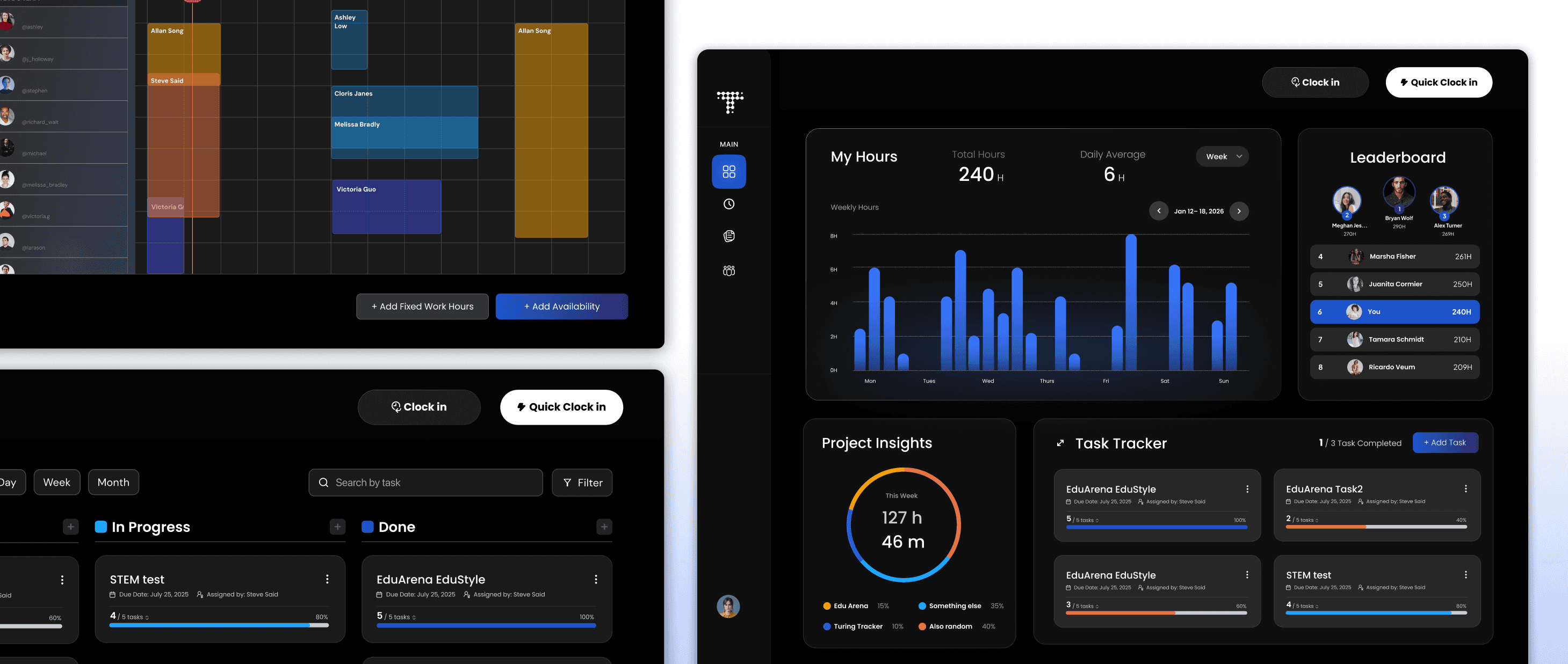
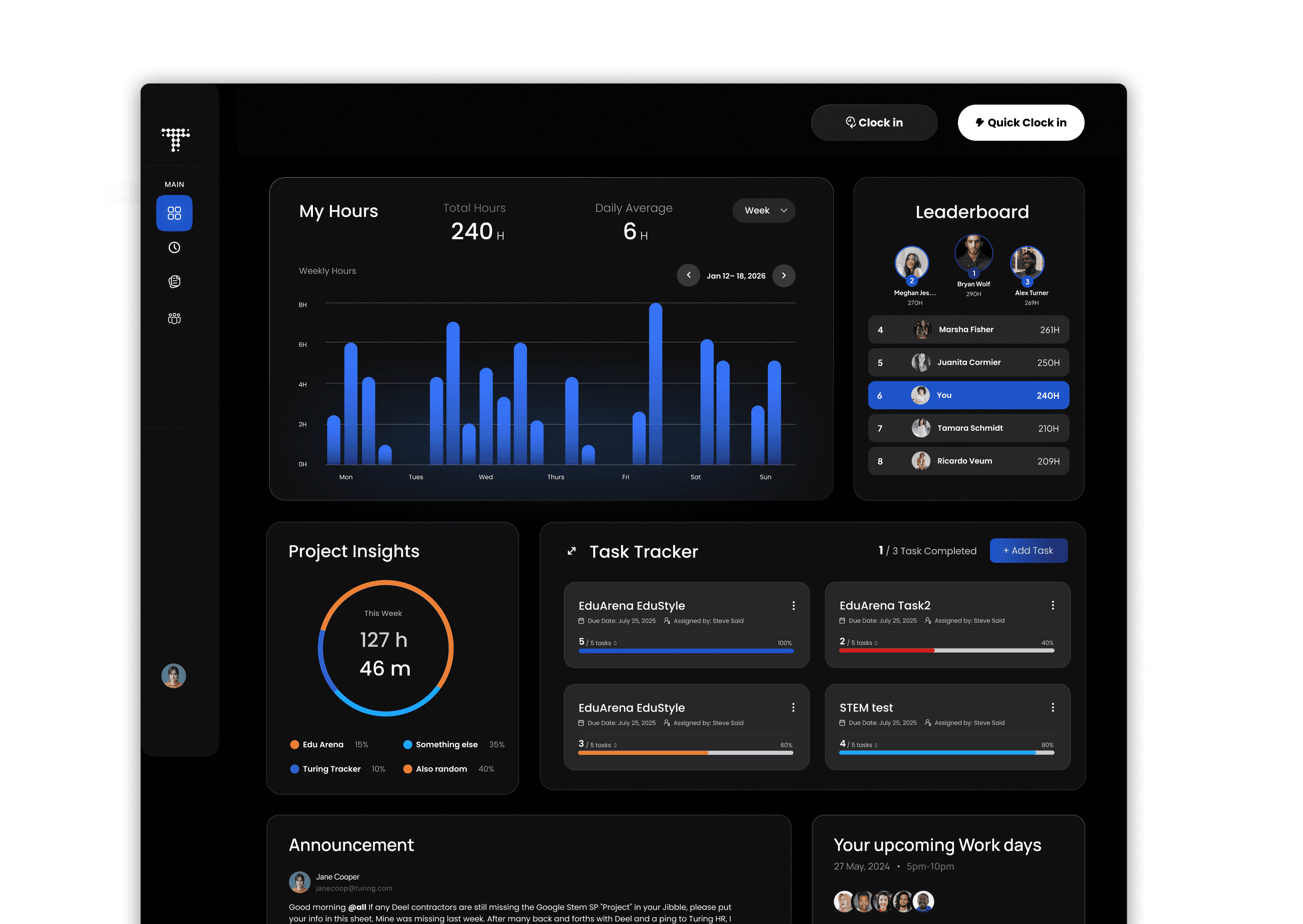
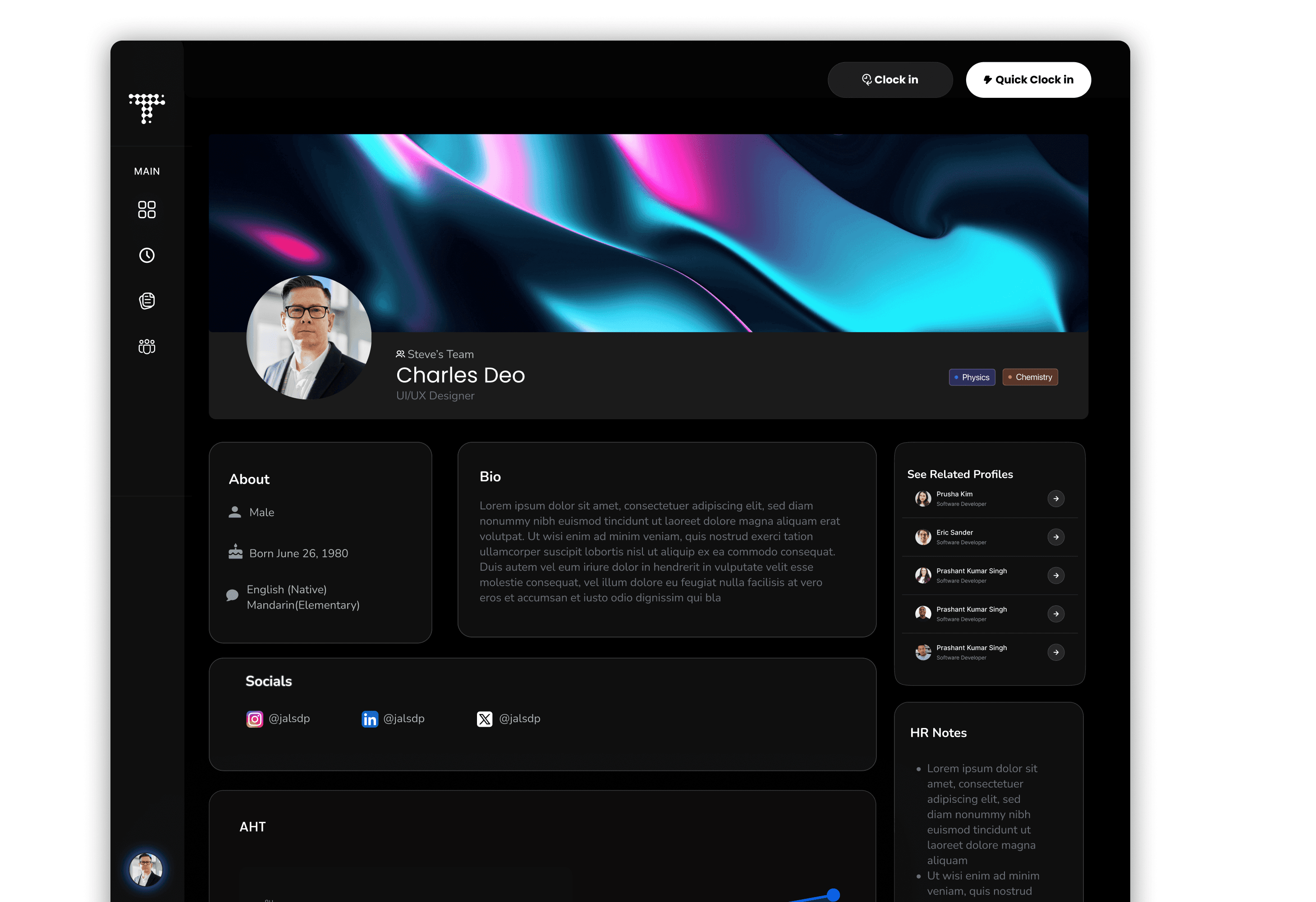
A single dashboard to clock in, track hours, and manage work/tasks.
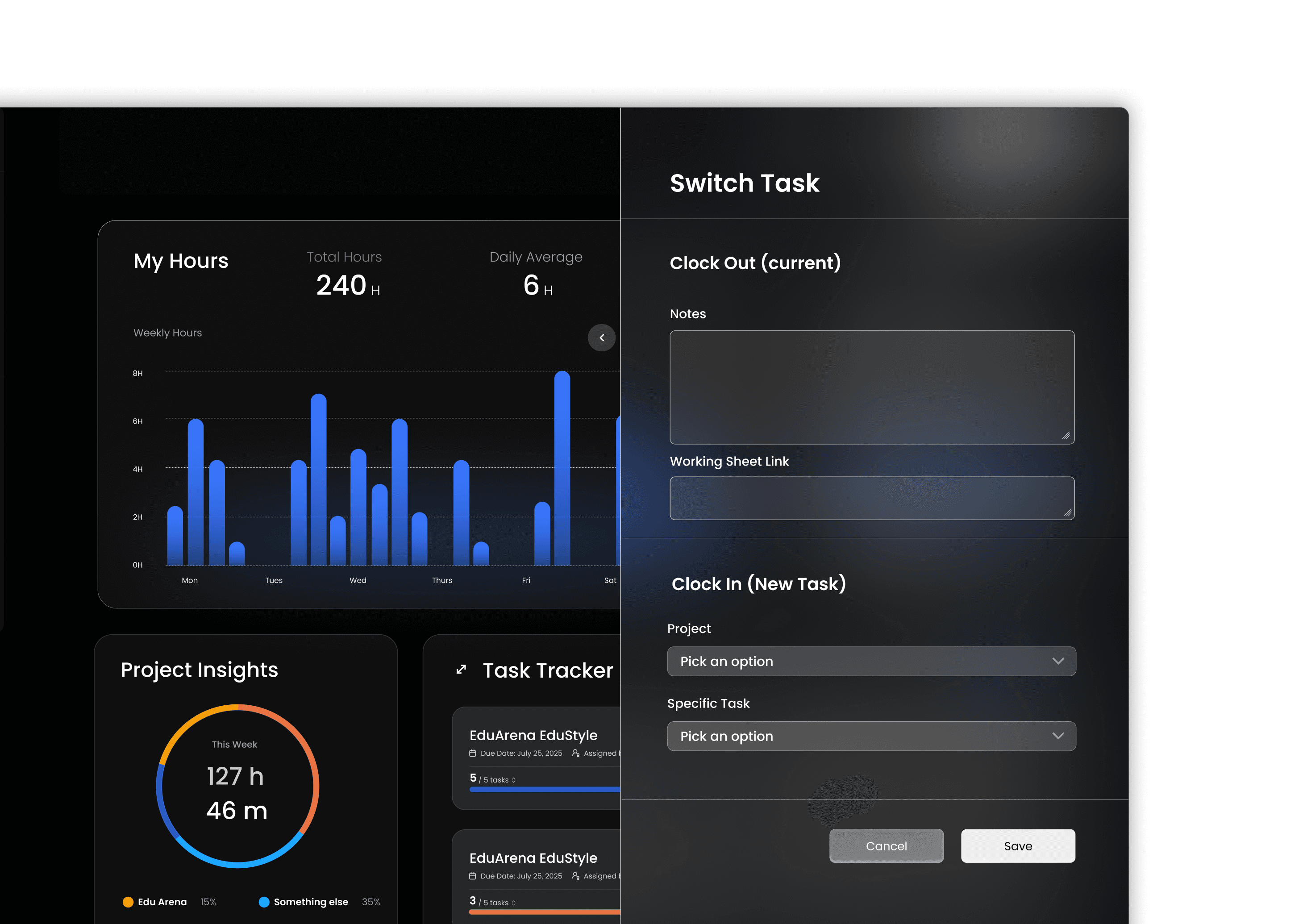
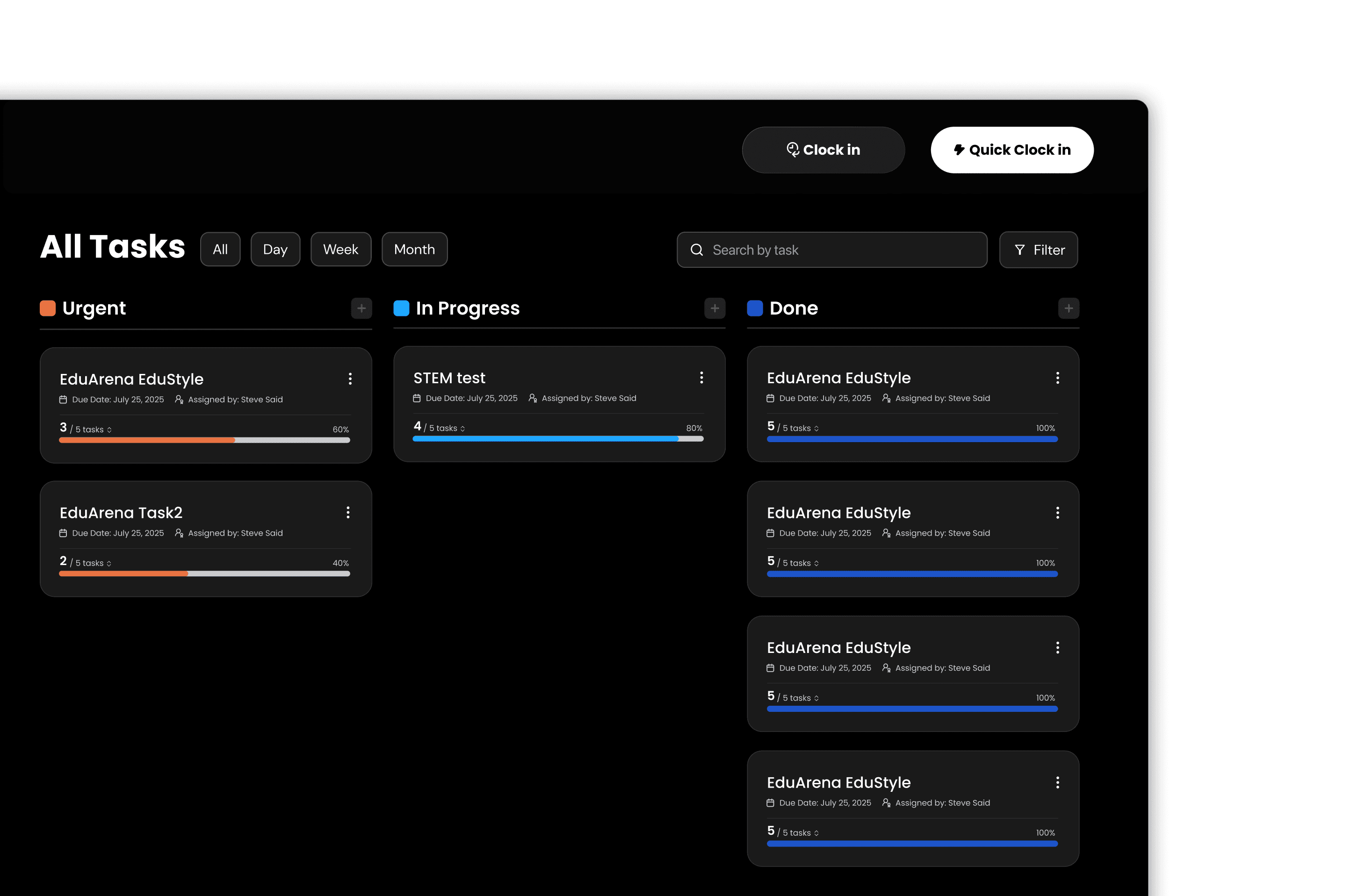
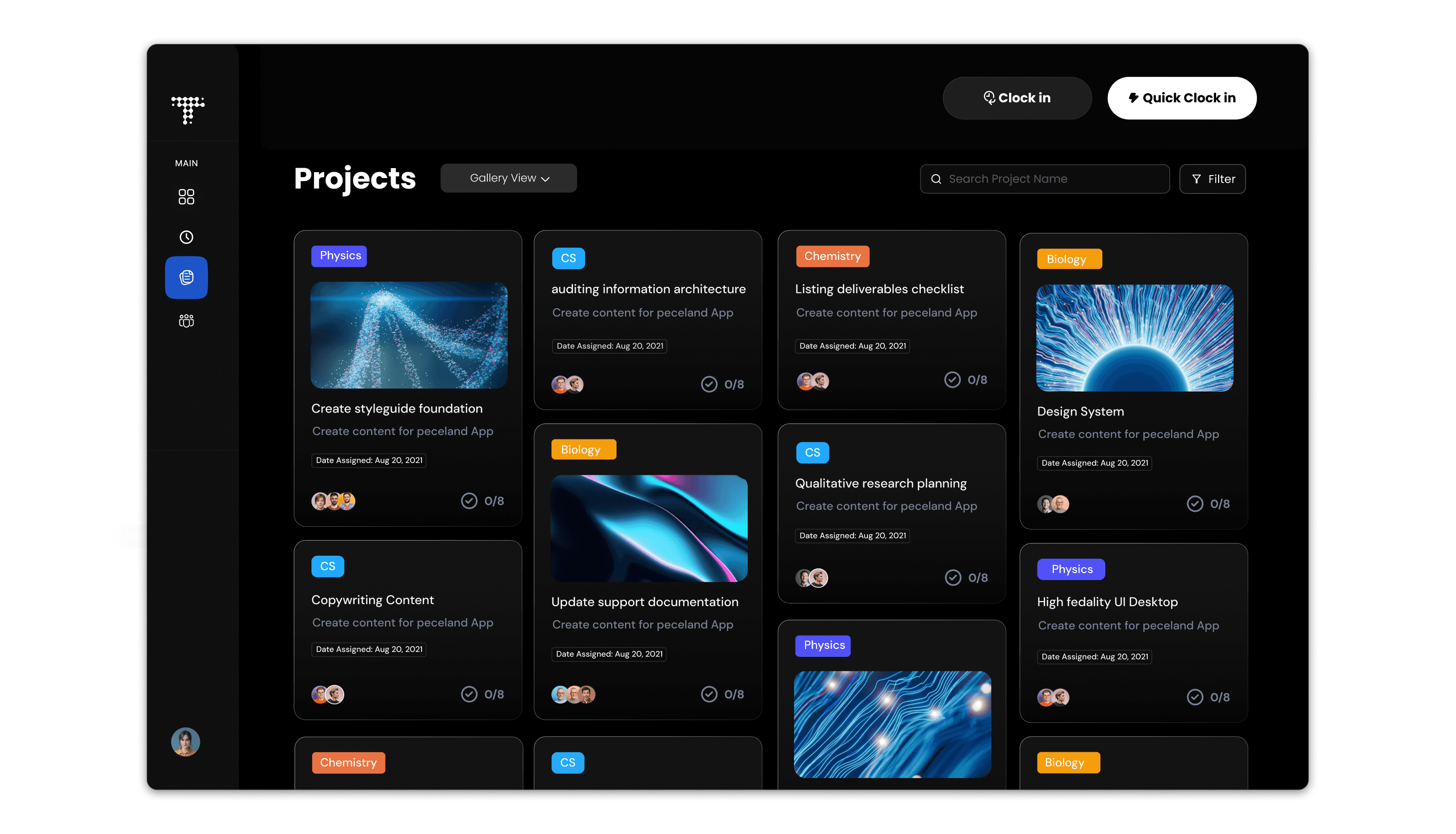
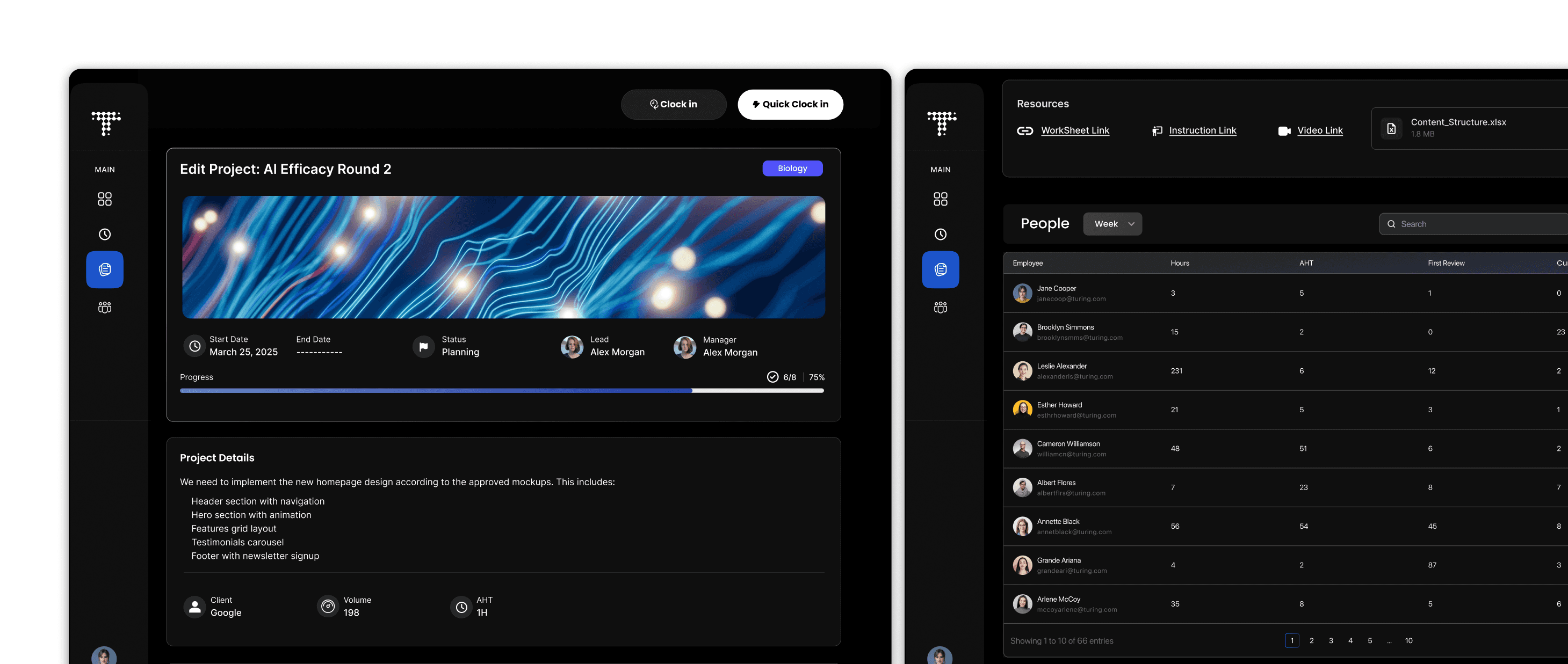
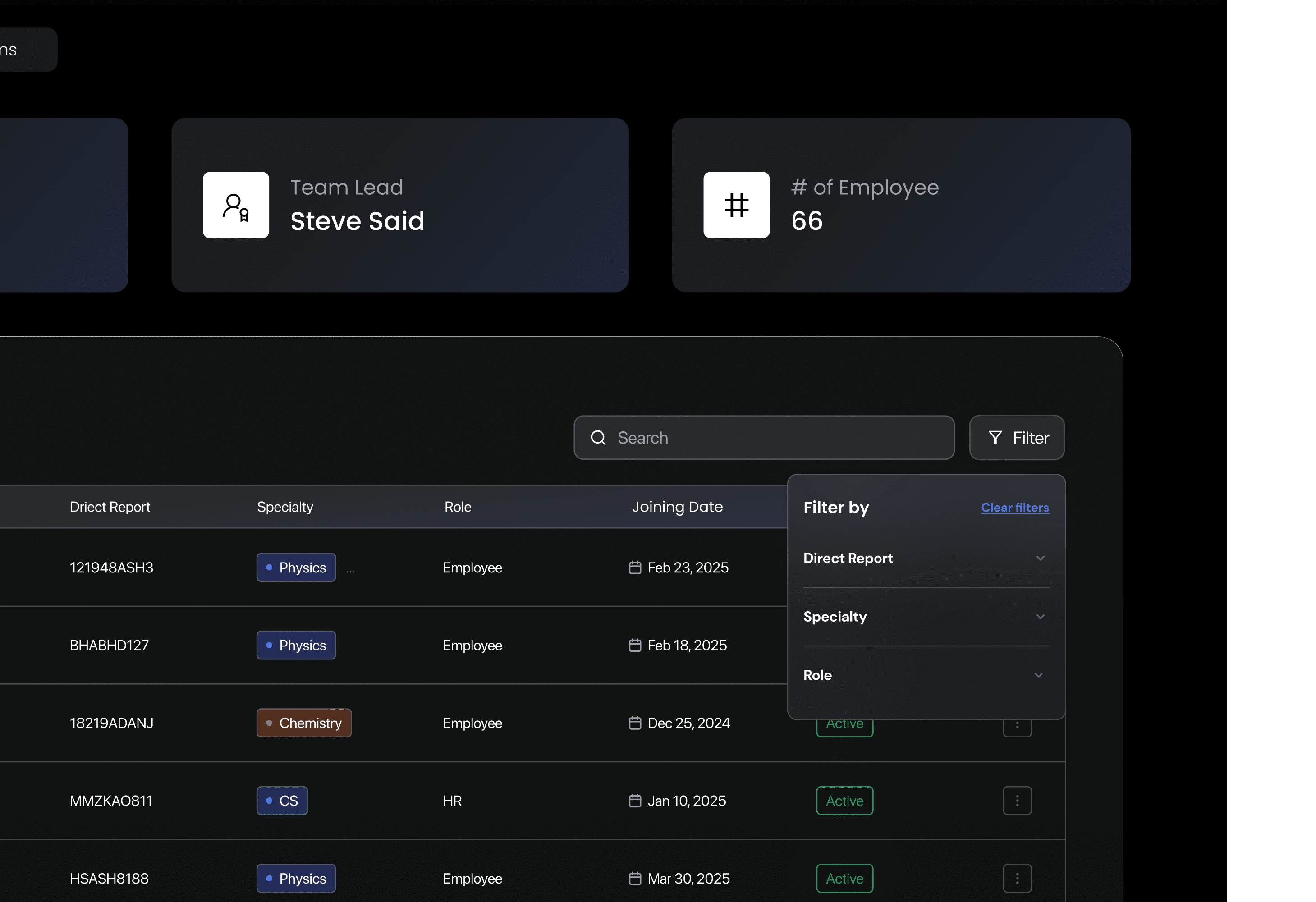
A shared project view that helps workers stay aligned on tasks while giving admins clear visibility into progress and ownership.
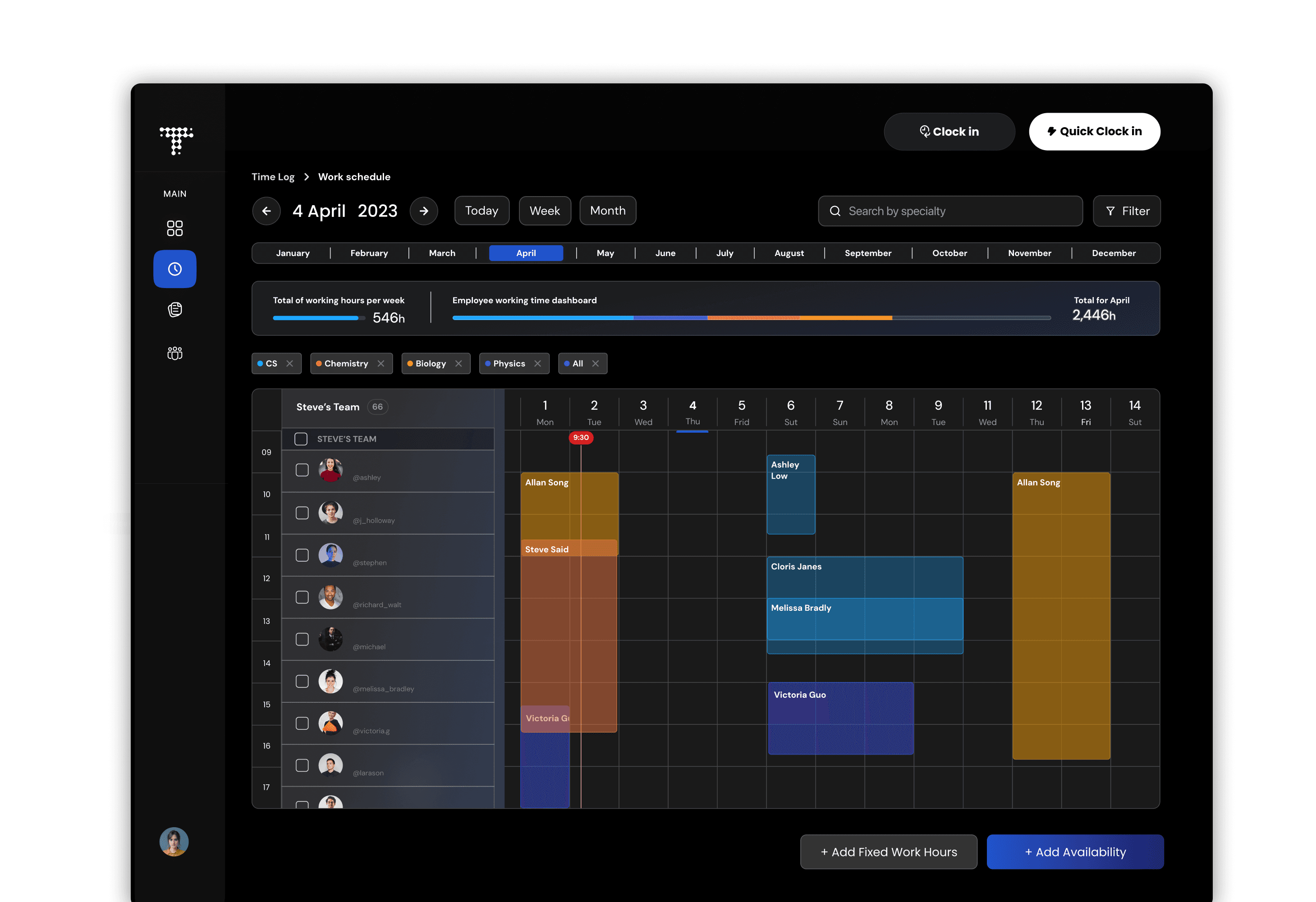
An integrated calendar view that allows workers to clock in, log hours, and set availability, while giving admins clear visibility into team schedules and total hours.
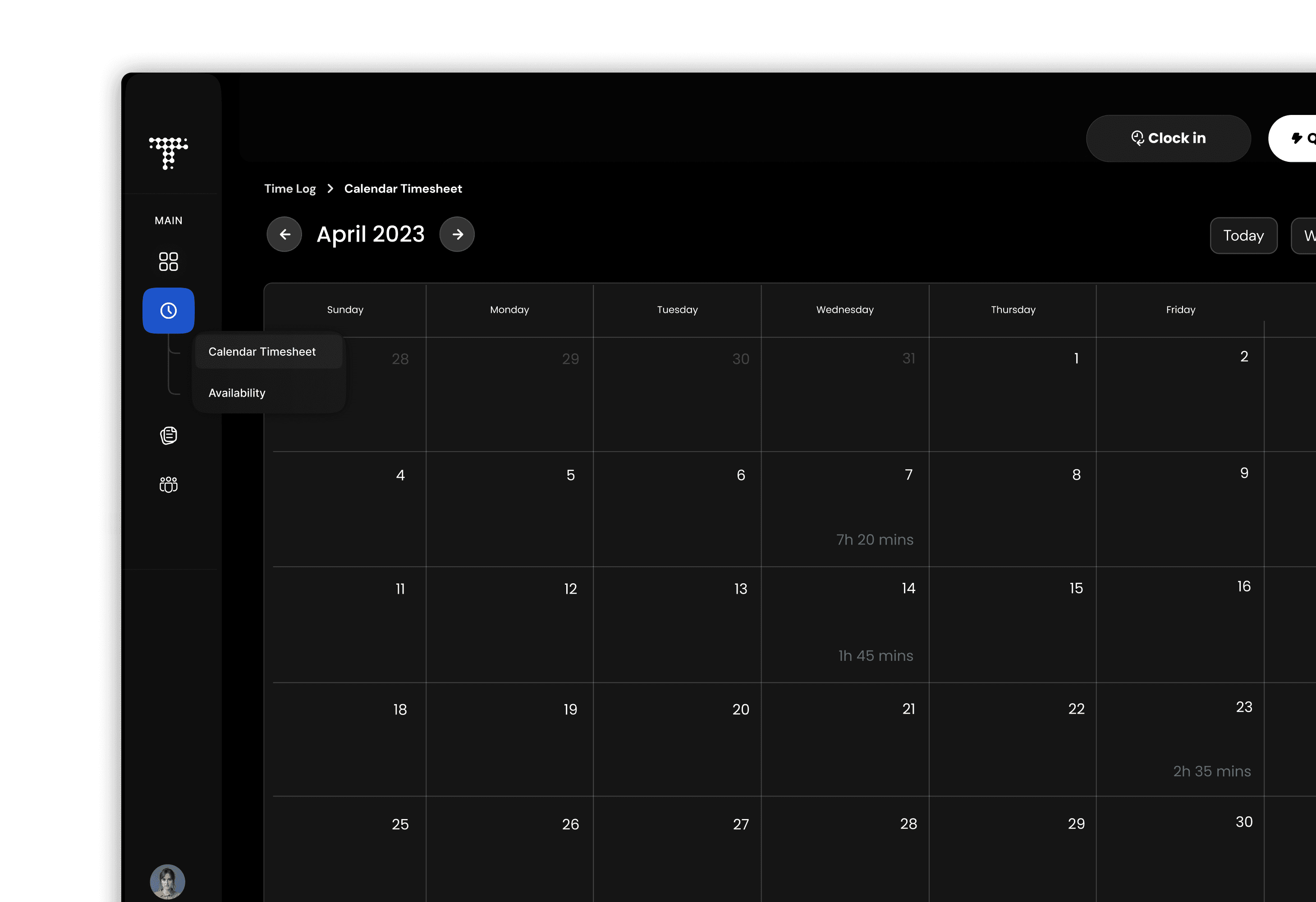
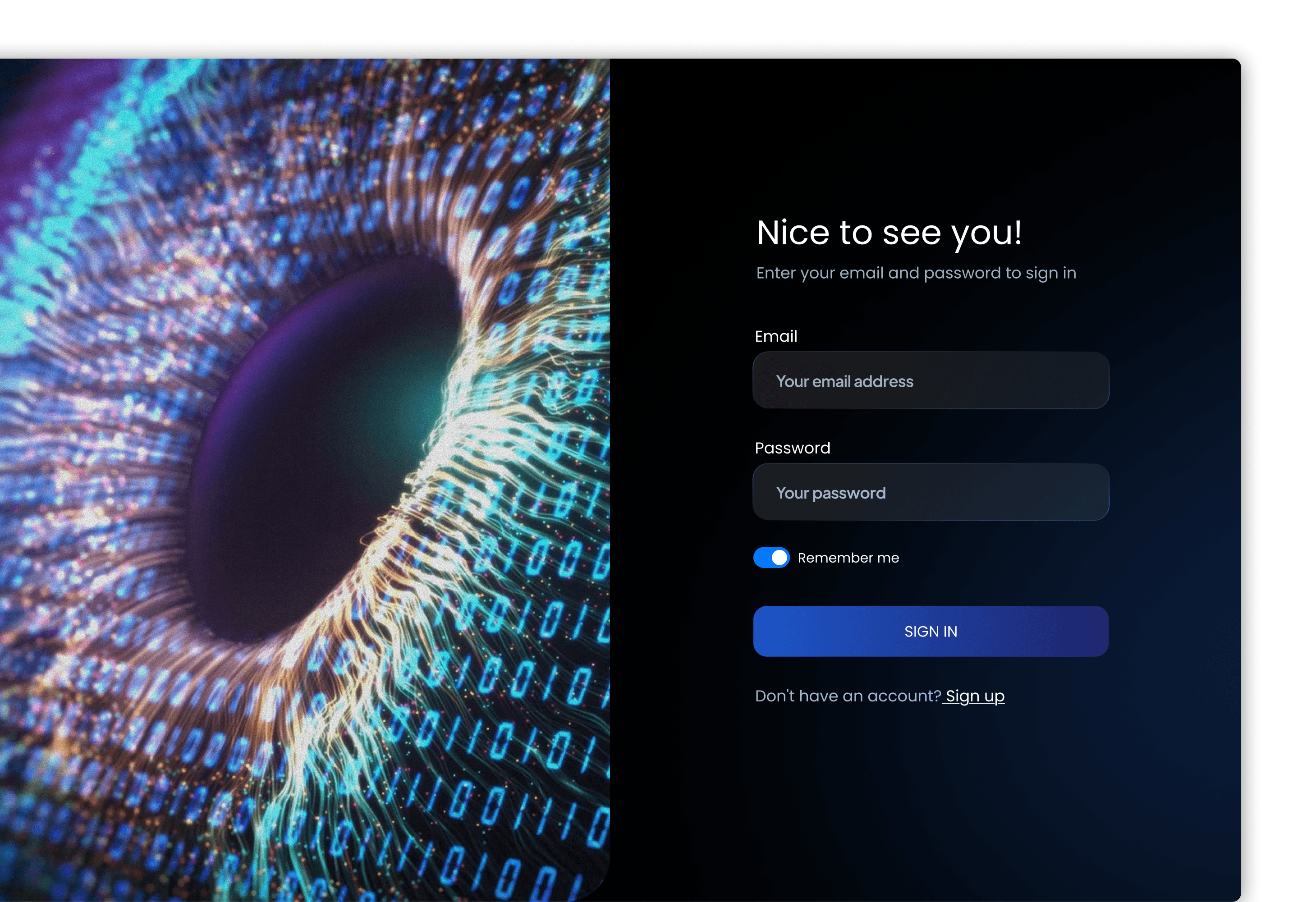
Additional Screens
03 Reflection
From 0 to 1, what did I learn?
Key Insights
Understanding the User Is Non-Negotiable
In my case, designing as an active AI rater revealed pain points that interviews alone would not surface, leading to clearer flows and fewer edge cases.
End-to-End Thinking > Pixel Perfection
Laying out full workflows instead of isolated screens enabled faster alignment with the developer and later led to smoother implementation.
Grateful for…
This project marked my first experience designing a real, production-bound product, and my first time building a product from 0 → 1. There was no existing design system, no prior UX patterns to reference, and no established interface to iterate on. Every decision, from core flows to interaction details, had to be defined from the ground up. The work unfolded at an extremely rapid pace, spanning from August to September, with the majority of design exploration, structure, and validation happening in August. Designing under this timeline required making thoughtful decisions quickly, prioritizing clarity over polish, and learning how to balance speed with correctness in a real operational environment.
Because I was simultaneously working as an AI Quality Analyst, I was designing for workflows I personally used every day. This firsthand exposure grounded design decisions in real constraints and allowed me to approach the product not just as a designer, but as a user responsible for accuracy, accountability, and trust. It reinforced the importance of designing systems and thinking through end-to-end workflows.
Working closely with engineering and leadership also reshaped how I think about product design. Laying out designs as implementation-ready flows rather than static mockups helped accelerate iteration, reduce ambiguity, and align cross-functional teams. I learned how strong collaboration and clear communication are essential to shipping under real constraints. Overall, this experience fundamentally changed how I understand product design. It strengthened my confidence in designing under ambiguity, taught me how real products are built from scratch, and reinforced the responsibility that comes with designing tools people rely on every day.